
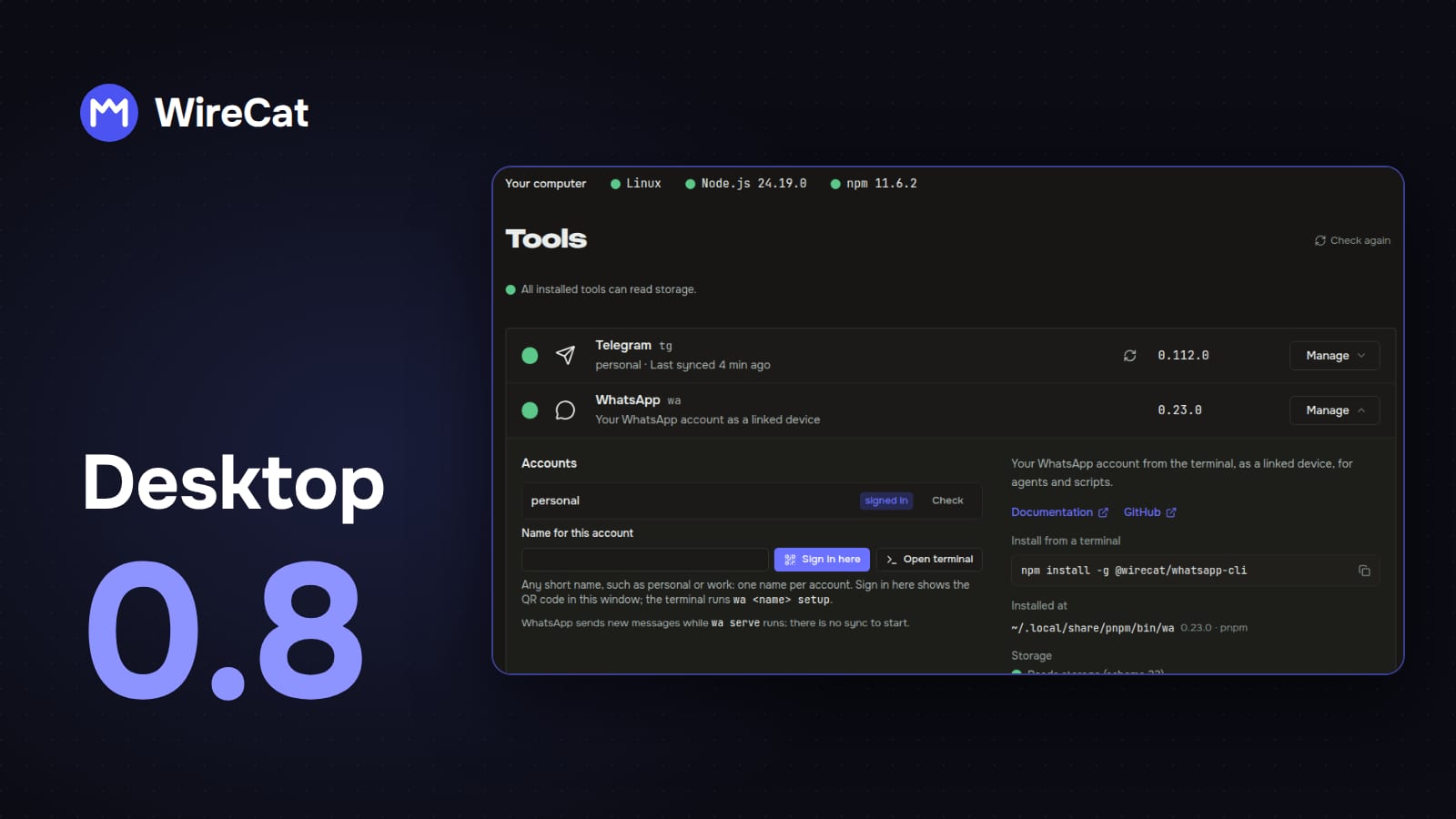
WireCat Desktop installs the WireCat tools, signs you in and gives your AI agent your chats, mail, meetings, documents and notes. It all stays on your computer.
After 0.7 I shipped 5 small versions in a week, 0.7.1 to 0.7.5, and didn't write a post for any of them, so here it all is at once. In that week the catalog got 6 new tools, your AI model now sorts your mail, and on Linux updates come through apt.
0.8 itself brings two main things. New official tools come from wirecat.dev without an app update. And the Permissions section now says straight out that Ask first doesn't stop an agent over MCP.
New tools without a new app
The app now fetches a list of official tools from wirecat.dev once a day, and a new tool shows up on the Tools page with its icon and text in your language, when the list has them. Before, a new tool reached the app only with a new Desktop version, and without one you could only add it as your own tool, in English and with a generic icon.
The list is signed, and the app keeps it only when the signature matches the key built into the app. A new list takes effect from the next start, so the page doesn't change in front of you. With no network the app uses the last verified list it saved, even an old one, and if there is none, the list built into the app. Only a @wirecat package from a WireCatLabs repository gets into the list, and at install the app still checks on npm that the package was built by the tool's own GitHub Actions.
For the built-in tools the list changes only the text and the icon, and the commands stay the ones tested in the app's catalog. When I compared the manifests of the 17 built-in CLIs with the catalog, I found 60 differences. Most are just different wording, but for Zoom, for example, the catalog has one sync command and the manifest another, so for now the built-in tools don't take their commands from the list.
Ask first doesn't stop an agent over MCP
In each tool's Permissions section every group of commands has 4 levels: Allow, Ask first, Read only and Block. Ask first works only in a terminal. For an agent connected over MCP there's nobody to ask, and the agent's change just runs. It has been like this from the start, and 0.8 doesn't change it.
Only the text changed - it used to say that over MCP the agent's app decides, and that read as if someone would still ask you. Now under every group and command set to Ask first, and in the dialog where you confirm the choice, it says that these agents make these changes without asking you. To stop them, choose Read only or Block.
In HubSpot this came up with the GDPR erase of a contact. It deletes the contact with everything on it and blocks its address, and it was set to Ask first. Over MCP the agent would have erased a contact without asking anyone, so in hubspot 0.5.0 it's blocked by default. Ordinary deletes stayed at Ask first.
6 new tools in the catalog
You sign in to each one in the app window, with the steps for where to get the token or password right there.
- amoCRM and Kommo. Sign in with the account's address and a long-lived token, and WireCat copies your deals with their contacts and companies to your computer. You and your agent see what changed in them. (amo docs)
- Yandex Disk. You get the token on Yandex's own pages and pick folders by their path on the Disk, then WireCat copies them the same way as Google Drive. It reads scans and pictures too, by default with tesseract on your computer. (ydisk docs)
- Attio. Deals, people and companies are copied to your computer, and you can find a deal by the meaning of its notes. феррара typed in Cyrillic finds Ferrara. (attio docs)
- HubSpot. HubSpot has one daily request limit shared by every app on the account, and when it's spent, hubspot says right away when it comes back instead of hammering the API. (hubspot docs)
- Linear. Issues, projects, comments and documents. (linear docs)
- WordPress. You enter the site address, user name and application password in one form, and the password goes to the tool over stdin, never as a command argument. A new post from an agent is always a draft, but publishing is set to Ask first, so an agent over MCP publishes without asking. Publishing has its own key, so if you don't want that, set it to Block and the drafts stay. (wordpress docs)
Slack isn't on this list. slk 0.1.0 came out on Nov 24 and works from the terminal, and Slack comes to Desktop in a later version.
Your AI model sorts your mail
Digests has a new Inbox tab. The AI model you picked in Settings sorts the new mail of every account into 3 groups: Needs an answer, To read and Can wait. Each thread shows why the model put it there, and clicking the row opens the thread. It needs mail 0.35, and the sender shows from 0.36.
If the model runs outside your computer and memo is set to ask before sending, WireCat first shows how many emails and tokens would go out and roughly what it would cost, and asks. Since mail 0.36 the question comes in your language, and after a sort you see which model ran and what it cost, anything under a cent shows as < $0.01. Mail rules moved to their own dialog, with search and pages.
If the model isn't on your computer, a scheduled sort sends your mail to its provider without asking.
See who an agent joined
An agent can now join two entries for one person by itself, when two different sources have a personal mobile number or address for them that nobody else has. For a phone number, at least one of the sources must be a messenger or a call. The Contacts page lists these joins separately. You see which agent did it, by which number or address and why, and you can undo it if the agent got it wrong.
This is done by memo, the WireCat tool that links people across all your sources, and it needs memo 0.141.0. If you don't want an agent to join people by itself, set "agent_merges": "propose" in memo's settings, and every join waits for you.
A match that waits for your decision now says why it wasn't joined on its own, for example the number turned out to be a company's office line. Each side of a match shows its last messages or calls, its company and its deal.
Updates through apt on Linux
Since 0.7.4 the .deb adds WireCat's apt repository, apt.wirecat.dev. New versions arrive in Software Updater or with sudo apt update && sudo apt install wirecat, and the update window in the app now says so and doesn't download the package.
Ubuntu's App Center showed no developer for a downloaded .deb, it shows one only for a package from a repository, so I had to set up our own. App Center reads the developer's name only from the old DeveloperName key, which appstreamcli convert no longer writes. And a fresh Ubuntu 26.04 Desktop has no curl, so the commands to add the repository by hand on apt.wirecat.dev use wget. Since 0.7.5 App Center also shows the release date instead of Unknown.
Small things
- WhatsApp shows how fresh its data is. WhatsApp has no full sync, new messages arrive only while its background service runs. The account says Live while the service is connected, and Fresh as of 9:05 AM when it's not. It needs whatsapp-cli 0.46.0.
- Your own tools sign in inside the window. A tool you added by its npm name, such as beeline (Beeline cloud PBX calls), can set its own sign-in steps, and you paste the token right in the window, with no terminal. With the tool's new version its account menu has Sign out and Remove account. WireCat checks that these steps run only the tool's own commands, and asks you before it uses them.
- Settings in two tabs. One for the app, the other for each tool. That's also where you choose how much mail to sync.
- Change a profile id. The account menu has Change profile id, and the sign-in, settings and data move to the new id. It works once the tool's own new version supports it.
- Google Calendar syncs from the app. It also shows when it last did.
- Choose Notion pages and databases. WireCat copies the ones you chose, the same way as Google Drive folders. The sign-in steps are now in Russian and Spanish too, and point to Notion's new token page.
- The morning CRM digest is in Digests. Deals won and lost come first, then overdue tasks, and each deal opens its own card.
- Digests, tasks and documents are out of beta.
- The cookie library inside the app is updated, for the advisory RUSTSEC-2026-0594.
Get it
If you have 0.7, the app will offer the update, and if you installed a .deb of 0.7.4 or later, it comes through Software Updater. New here? Download WireCat from wirecat.dev/download for macOS, Windows or Linux. The Desktop guide covers each page, and every version from 0.7.1 to 0.8.0 has its own release notes on GitHub.
Ideas for what to build next go on the ideas page, and questions to Discord or GitHub.