
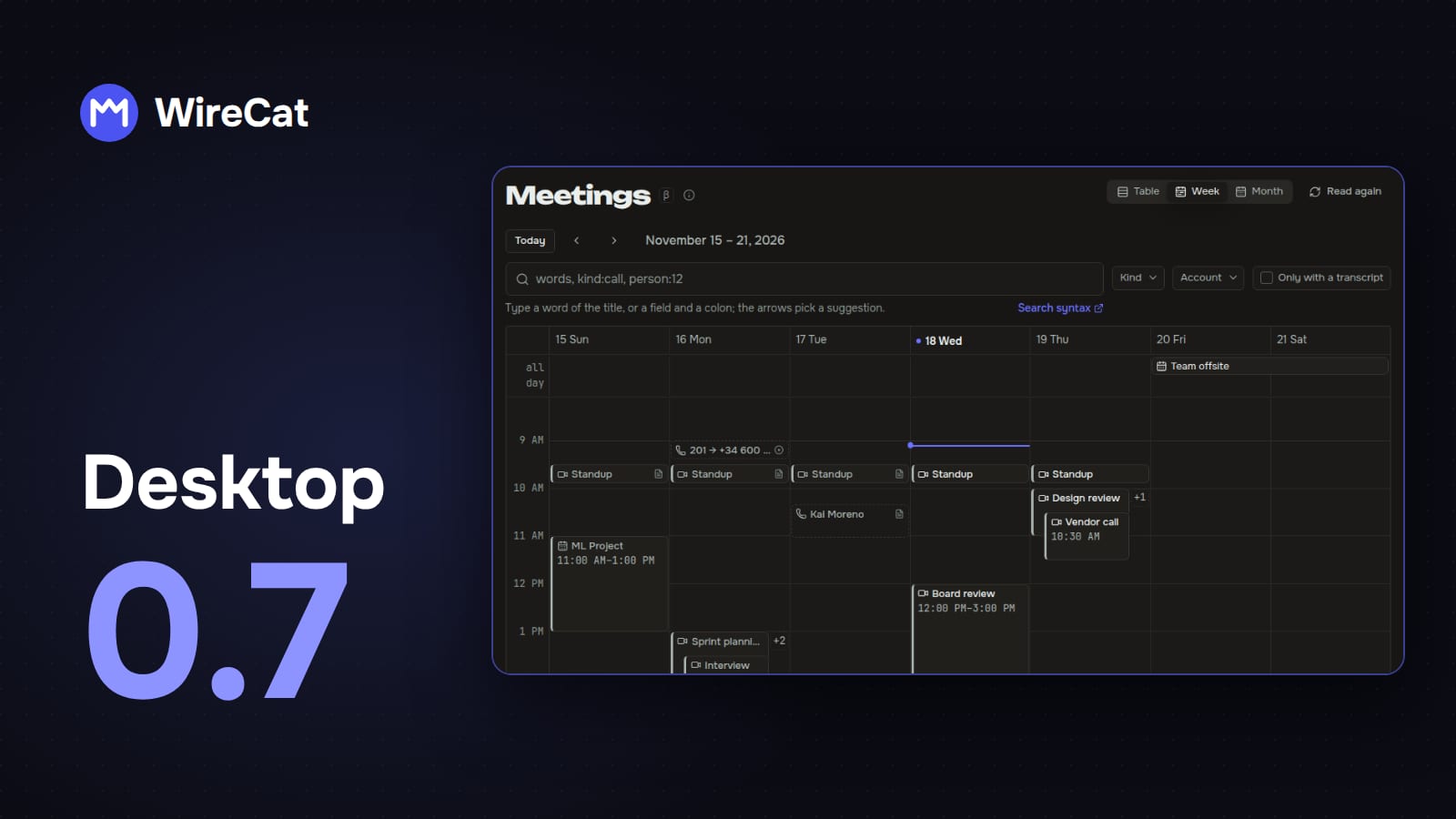
WireCat Desktop installs the WireCat tools, signs you in and gives your AI agent your chats, mail, meetings, documents and notes. It all stays on your computer. In 0.7 meetings and calls sit next to your chats and your CRM: you see all of them on one page, and a Bitrix24 deal shows the calls of its people, with the recording one click away.
See every meeting and call on one page
The new Meetings page shows your meetings, calls and calendar events together, by week, by month or as a table. Meetings at the same time sit side by side, as in Google Calendar, and a search field finds a meeting by its words.
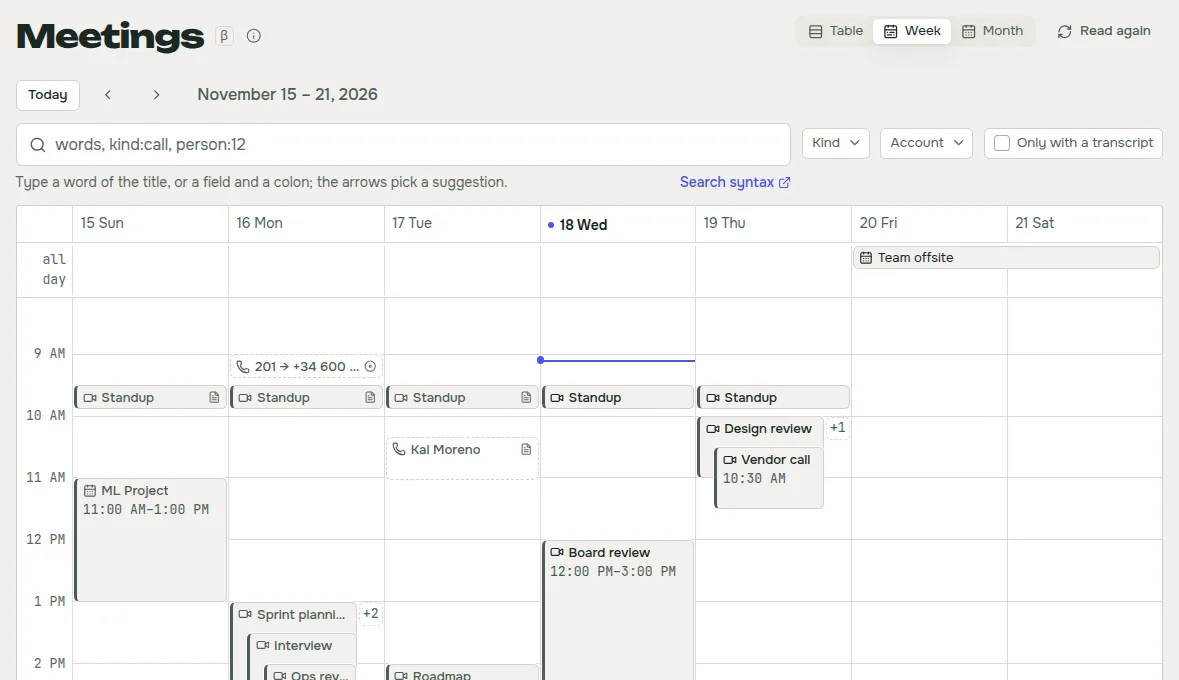
Open a meeting to see who accepted the invitation and who declined, the join links, the summary and the transcript, where you can find any word. The card also lists the files attached to the calendar event in Drive, and Open in Google Calendar takes you to the event itself.
Google Meet keeps its transcripts and Gemini notes in the organizer's Drive, often outside the folders you picked for WireCat. After you sign in to Drive, WireCat now asks whether to add them.
Hear your calls next to your clients
WireCat can now install the Asterisk tool. Connect your Asterisk phone system and each call is kept as a meeting, with its recording, and its transcript when there is one. You tell it which countries your phone lines are in, so a caller without a country code still lands on the right contact.
A Bitrix24 deal or lead card lists the calls of the people on it. Each call says whether it was incoming or outgoing, who the manager was and the client's number. A call with a recording on your computer has a Listen button, so you hear it right in the card. The company of a deal opens in its own card, with its people, its open deals and leads, and how many calls its people had.
Search your Notion pages
Notion is built in now. Sign in with a Notion token, and WireCat copies the pages and databases that the token can see to your computer, so you can search them and your agent can read them.
Bring in your notes and documents
The notes card now has Connect an Obsidian vault, and it lists the vaults Obsidian already knows, each with its own Connect button.
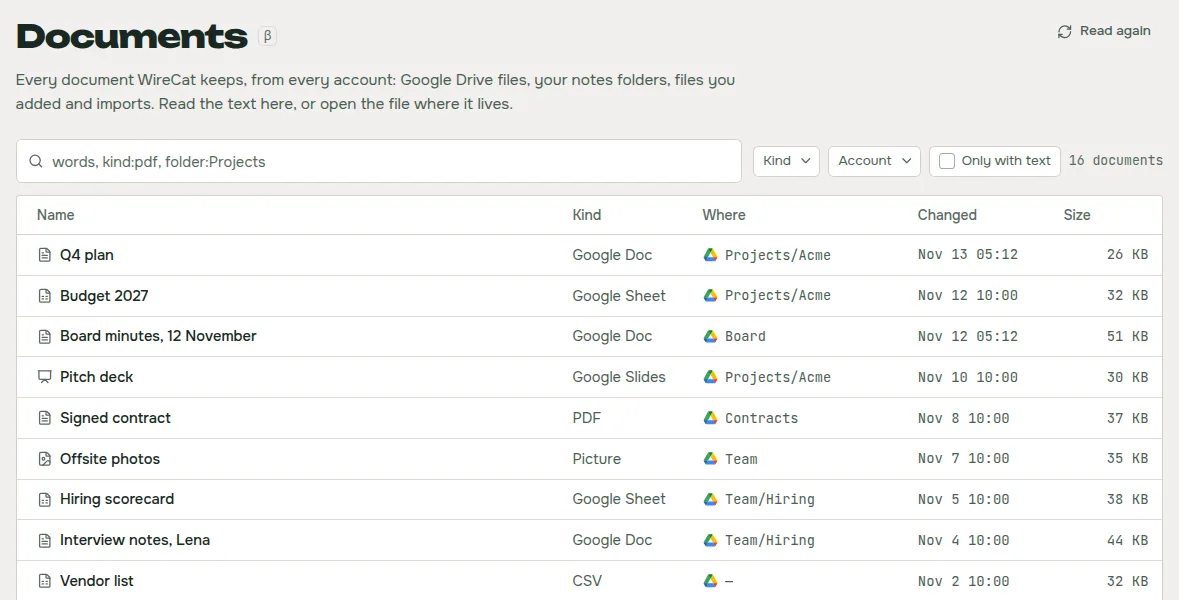
The new Documents page shows every document WireCat keeps, from Drive, your notes folders and your imports, in one table you can narrow to an account or a folder. Open one to read its text and see the people and meetings it names.
Install and update every tool at once
The Tools page now sorts tools into groups by who makes them, with built-in tools first and additional WireCat tools next. Install all installs every built-in tool you don't have yet, and Update all updates every installed tool that has a newer version. Tools you added yourself stay out of Update all, because each of their updates goes through its own review.
Smaller things
- See your mail rules. An Email account's menu has Mail rules, with what each rule matches and what it does.
- Install without a license prompt. The macOS disk image and the Windows installer no longer ask you to accept the license. The license still comes with the app.
- Count unread notices on Ubuntu. The dock icon shows how many notices in the bell you haven't read.
Get it
If you have 0.6, the app offers the update itself. New here? Download WireCat from wirecat.dev/download for macOS, Windows or Linux. The Desktop guide covers each page, and every version from 0.6.2 to 0.7.0 has its own release notes on GitHub.
Meetings and Documents are marked beta, with a small β beside the name. Ideas for what to build next go on the ideas page, and questions to Discord or GitHub. I read all of it.