
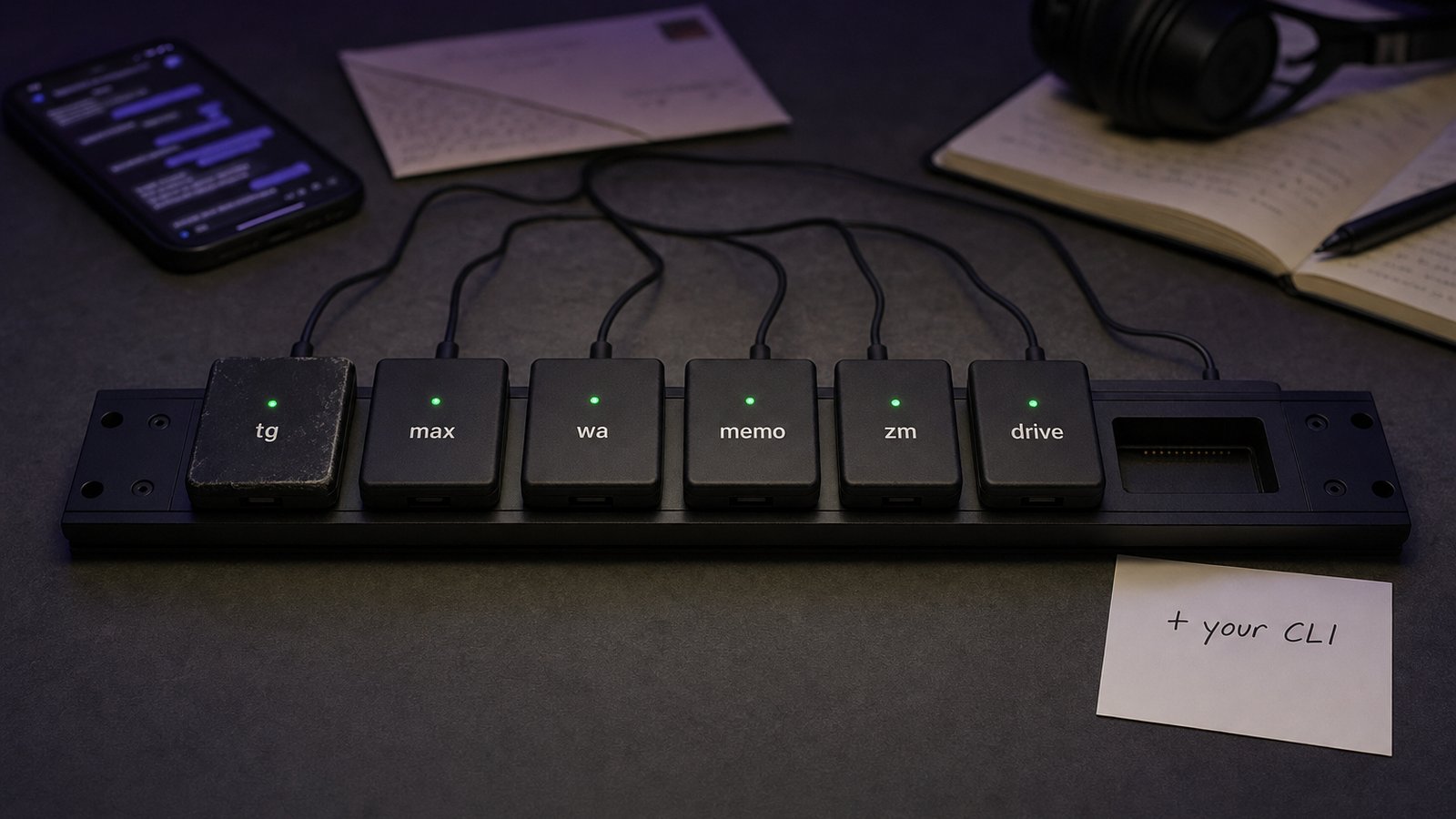
A document in one chat, a customer's question in another, a promise you made last week. Your AI agent can write code, plan a migration and review a pull request, but it cannot see any of that. The context it needs lives in your messengers, your mail, your notes and your meeting transcripts, and none of it is in the repository.
WireCat is a set of open source command line tools that give your agent that context. Each tool connects one source, keeps a copy on your computer and answers your agent in a shape it can rely on. You keep the agent you already use: Claude Code, Codex, Cursor, Gemini CLI, Hermes, OpenClaw, or a chat app through MCP. This post explains how it started, what the tools are, why they run locally and what works today.
How it started
I started with one thing: the most convenient command line tool for Telegram I could make, with the whole account in it and search that is pleasant to use. Then I kept improving that search: indexing large chats, finding a message when its words are not quite the ones you typed, and then embeddings, so it can search by meaning.
After that I wanted the same for the other tools I use, and added MAX, WhatsApp, mail and notes, Zoom and Google Drive. Each new tool raised the same question: how to make the next one easy to add, for me and for anyone else. That is how WireCat became a platform rather than a set of tools. The parts every command line tool needs live in cli-base; messages, the local store, search and MCP in cli-core; and a new connector starts from cli-template.
What WireCat is
Six tools, each published on npm under the Apache 2.0 licence:
| Tool | What it connects |
|---|---|
tg | Your own Telegram account, and Telegram bots |
max | Your own MAX account, and MAX bots through the official Bot API |
wa | Your own WhatsApp account, linked as a device the way WhatsApp Web is |
memo | Notes, Obsidian vaults, folders of documents, mail, people, tasks and memories |
zm | Zoom meeting transcripts, summaries and recordings |
drive | Google Drive folders you choose to import |
The messenger tools work with your own account, not a bot that sits in the chat. Your agent sees what you see: every chat, the history and your contacts. That is the point. When you ask "what did we agree with Atlas about the delivery date", the answer is in a private chat, and a bot cannot read private chats.
WireCat does not ship an agent or a model. The features page puts it plainly: WireCat supplies the tools and the access, and your agent interprets the request. You can change agents without downloading your archive again or losing your notes.
Why local
The tools run on the computer or server where you install them. Each one keeps a local store: for
tg, one SQLite file with the chats, messages and contacts it has seen.
memo, tg and max read and write the same file, so one search can cover a
Telegram chat, a MAX group, a mail thread and the note you wrote about that person.
This gives three practical things:
- Search without the network. Search, export and
--offlinereads answer from the local store without asking Telegram. Word search works locally with no AI provider at all; search by meaning needs extra setup. - History that outlives the app. You can fetch a chat's older history, keep the store current with a background process, export a chat to JSON lines or Markdown, and back the store up, optionally encrypted with a password.
- Your agent is replaceable. The data stays where it is when you switch agents.
Local does not mean private by magic, and the docs say so. Your agent receives the messages it retrieves, and if that agent uses an online model, the provider sees that content. The local store itself is not encrypted by the tools, so a screen lock, a protected user account and disk encryption matter. The security page lists what the controls cannot protect.
Built for agents first
Most command line tools are written for people and then wrapped for agents. These are designed
the other way round. From the tg overview: every command does one thing, gives the
same shape of answer every time, and has a fixed exit code for each kind of failure. Scripts and
agents can rely on that.
There are two ways to connect an agent (the guide):
- A skill.
tg skill installadds a short instruction file that teaches a terminal agent the commands. You do not need to memorise them. - MCP. Apps that cannot run commands, such as Claude Desktop, connect through the MCP server. It uses the same profiles and permissions as the command line.
Output size matters when an agent pays for every token it reads. We measured it on 5,000 synthetic
messages: asking for only the fields you need with --json=<fields> made answers 31% to 64%
smaller than full --json. The setup and the
script are
public.
You decide what the agent may do
Each profile has permissions per action: deny, readonly, ask (confirm
in the terminal) or allow. You can also restrict recipients and set an hourly send limit. A few
defaults worth knowing:
- Reading a chat does not mark it as read. That is a separate action.
- An agent started by a
tgormaxschedule runs read only through that tool. It can read and draft, but it cannot send or change settings. - Sending a local file refuses known credential locations, such as SSH and cloud keys, unless you
add
--allow-any-file.
Prompt injection is real here: a message from someone else can contain instructions. The tools mark message content as data, but the security page is honest that this does not guarantee an agent ignores every misleading request. Keep send permissions narrow and review important replies.
What works today
Telegram. Install, log in and get the agent skill in about five minutes:
npm install -g @wirecat/tg-cli
tg personal setup
tg personal inbox
inbox shows other people's unread messages in every chat, and nothing is marked read. From there
the docs cover search by words, people, dates, files or topic; a local store
you can export; replies within your limits; voice notes to text with a model on your own
machine (messages transcribe --local); and scheduled sends with
--at-time 2h, which Telegram delivers even with your machine off. For bots, tg <bot> bot api
exposes all 185 methods of the pinned Telegram Bot API schema. If you run
groups, tg shows which questions nobody answered and who joined.
MAX. The same shape for MAX: personal account, search, local store, groups, and bots through the official Bot API. One honest note from its docs: the personal account side uses MAX's unofficial internal API, which can change without warning. Bots use the official API.
WhatsApp. wa links your account as a device. It reads, searches and keeps a local
store, sends, saves and forwards photos and files, and turns voice notes into text.
Notes, mail, people. Memo imports folders of notes, including Obsidian vaults, and mail from accounts you configure. It keeps everything about one person together: messages, mail and notes. It also tracks what you owe people and stores memories your agent learned, with you deciding what stays.
Meetings. zm keeps Zoom transcripts and summaries locally and lets your agent
find a decision with its original passage. It does not join calls or create transcripts Zoom did not
make.
Documents. Drive imports the Google Drive folders you choose and searches them offline, returning the passage and the original Google link.
A first request, from the start page:
Use tg CLI to find the delivery date agreed in the Atlas chat last week.
Show the supporting message and its surrounding context. Tell me if that period is missing.
The last line matters. An empty search does not prove something was never discussed, and a good answer says which history it checked.
What is not there yet
Calendars, Notion, Slack, Google Meet, Microsoft Teams, GitHub and task trackers are on the roadmap. There are no promised dates, and a planned item is not a feature.
Try it and tell us
Start with one source; you do not need every tool. The installation guide covers Windows, macOS and Linux with Node 22.16+ or 24+, or Bun.
What should come next? Suggest a source or a feature in the WireCat chat on Telegram. Bugs and pull requests go to the tool's GitHub repository.