# First tasks (/en/docs/first-tasks)
Once your account is connected, try a first request with your AI agent. Find a message, catch up on a chat or prepare a reply, then check that the answer is complete. A request is a task
in your own words; the agent chooses the commands.
If you still need setup, start with [installation](/llms.mdx/docs/installation/content.md) or
[connecting your agent](/llms.mdx/docs/agents/content.md).
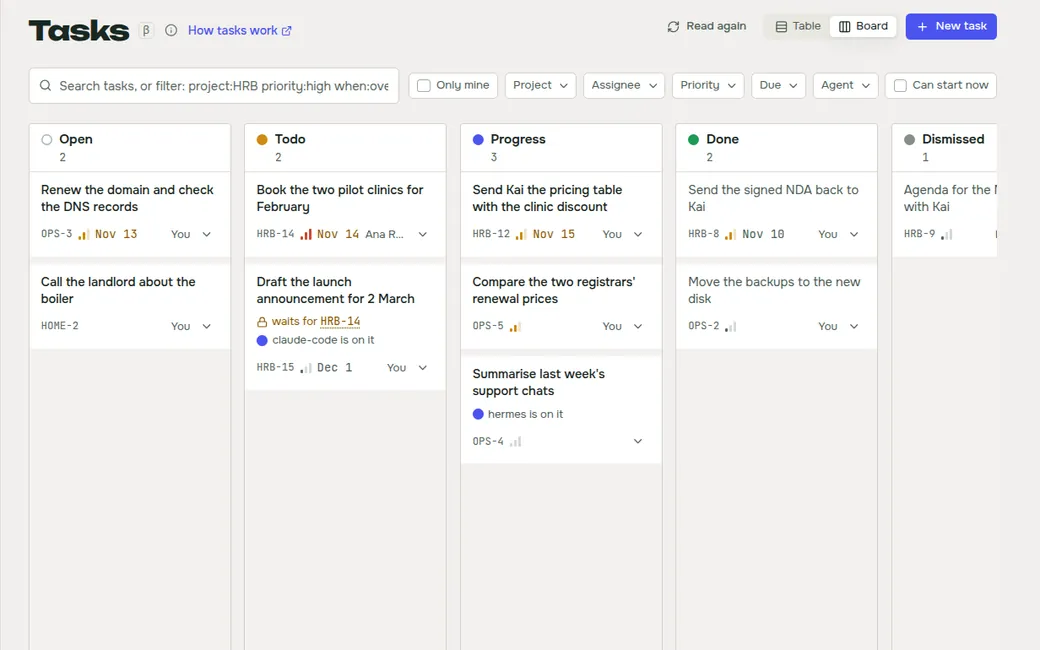
You describe the task to your AI agent, for example Claude Code, Codex, OpenClaw or Hermes. The agent runs
WireCat's command-line tools (`tg`, `max`, `memo`, `zm`, `drive`) on your computer, and they read your messages,
mail, notes, meetings and files. Your agent's own settings determine where it processes the messages.
[WireCat Desktop](/llms.mdx/docs/desktop/content.md) is optional: it shows the same tasks, searches and memory in a window.
## Your first five minutes [#your-first-five-minutes]
Choose one request. These tasks only read, so nothing changes in your account. For MAX, replace
“tg CLI” with “max CLI” and Telegram with MAX. In an AI chat connected through MCP, ask it to use
the connected Telegram or MAX tool.
**Who needs my reply?**
```text prompt
Use tg CLI. Check my unread messages in Telegram. Tell me which questions need my reply and show the source messages. Only read: don't send anything or mark messages read.
```
**What happened today?**
```text prompt
Use tg CLI. Summarise today's messages in five of my active chats. One line per chat, with important questions separately. Say which chats you checked. Read only.
```
**Find something**
```text prompt
Use tg CLI. Find the last link someone sent me in my five most recent chats. Show the message and chat. Read only.
```
You get a short answer with messages you can open or identify. Start with a few chats so you can check the result.
**Behind the scenes.** For the first request, the agent runs commands like `tg personal inbox --limit 5` and
`tg personal chats list --limit 5`, then reads more messages where it needs context. Reading does not mark
messages as read. [Reading and inbox](/llms.mdx/docs/tg/usage/content.md#reading) explains the limits.
**Good to know**
- **Unread is not the same as “needs an answer”.** A good agent reads the context before it
decides, and tells you which chats it checked.
- **Your history is downloaded only when needed.** Logging in does not download old messages.
Telegram's own search can still find a message by its words, but a question about last month
usually needs that chat's history: the agent may ask to fetch it first. You decide how far back.
- **Ask for sources.** “Show the messages behind your answer” makes the agent prove each claim.
The sections below show longer tasks: the request, what the agent does and its answer. The chats,
IDs and messages are made up; don't run the commands as they are. MAX has its own
[usage guide](/llms.mdx/docs/max/usage/content.md); not every Telegram option exists in MAX.
## Find an older agreement [#find-an-older-agreement]
You remember roughly what was agreed and when, but not the exact message. Name the chat, the
period and what counts as an answer:
```text prompt
Use tg CLI. In “Atlas · team”, find the analytics fee we agreed in September 2026. Show the
estimate and the confirmation. Check the local archive first; tell me if it lacks that period.
Don't send anything.
```
**Agent**
> I found “Atlas · team”, but its local history only covers 28 September onward. The search found
> no fee in those messages. That doesn't tell us whether a fee was agreed earlier in the month.
> May I fetch this chat's history back to 1 September?
**You**
```text prompt
Yes, only that chat. Fetch back to 1 September. If more than 1,000 messages are needed, stop and
tell me what remains.
```
**Agent**
> **Agreed fee: €1,500 excluding VAT.** Marco proposed it on 5 September (message 4312); you
> confirmed it on 6 September (message 4315). The surrounding discussion describes the analytics
> setup, not ongoing support. The archive still has gaps, so I cannot rule out a later change
> elsewhere in September.
>
> Sources: “Atlas · team”, messages 4312 and 4315. Nothing was sent.
The fee is supported by the estimate and confirmation, but a partial archive cannot establish
that it remained unchanged for the rest of the month. Another bounded fetch can resume later.
A fetch from September also reads newer history on its way back, while the search filters narrow
the result to September.
Commands the agent runs
Find the chat and check what is saved, then search only the saved history, as the request asked:
```sh
tg personal chats list 'title:*Atlas* kind:group' --offline
tg personal store status -1001001001001
tg personal search messages 'analytics date:[2026-09-01 TO 2026-10-01} chat:"-1001001001001"' --backend archive --json
```
After your approval, fetch the period, check coverage again and read around the match:
```sh
tg personal messages sync -1001001001001 --since-time 2026-09-01 --limit 1000
tg personal store status -1001001001001
tg personal search messages 'analytics date:[2026-09-01 TO 2026-10-01} chat:"-1001001001001"' --backend archive --json
tg personal messages context -1001001001001 4312 --before-n 2 --after-n 4
```
**Why these commands:** `messages list` reads a window of messages and stores them locally;
`messages sync` fills a larger stretch of history. `search messages` also asks Telegram's own search
by default; `--backend archive` keeps it to the saved history. Telegram's search matches words
only, so reading the discussion around a match and checking a whole month need the saved history.
`messages context` checks what was said around a match. Neither the latest 20 messages nor an empty
local search proves that a month has been checked. [Archive and search](/llms.mdx/docs/tg/archive/content.md) ·
[Search](/llms.mdx/docs/search/content.md).
## Draft a reply [#draft-a-reply]
Ask for a draft first and check its recipient and facts. A good starting point is a review of
what you promised and what you are waiting for:
```text prompt
Use tg CLI. Check Atlas discussions from the past week for promises and questions involving me.
Include the team group and my direct chats with Anna and Tom. Separate what I owe from what I'm
waiting for, check for later completion, and draft replies. Don't send them.
```
**Agent**
> **You owe Anna:** comments on the slides, promised for 2 October. I found no completion in the
> checked messages. Sources: team message 4520, Anna's direct message 201.
>
> **Waiting for a decision:** Anna's approval of the revised design. Source: design discussion
> quoted in Tom's direct message 188.
>
> **Completed:** Tom sent the design in his direct chat. His earlier promise is no longer open.
>
> Draft to Anna: “I've received the slides. I'll confirm a delivery time for my comments shortly.”
> Nothing was sent; this covers only the three chats listed above.
**You**
```text prompt
Don't invent a delivery time. Check what I actually promised Anna and make the draft specific.
```
**Agent**
> You promised comments on the pricing slides by Friday, 2 October. Draft:
> **“I promised comments on the pricing slides by Friday and missed that deadline. I'll send you
> an updated delivery time.”** This acknowledges the promise without making a new deadline up.
>
> Sources: team message 4520 and Anna's direct message 201. Still a draft.
Commands the agent runs
Resolve the chats and review both sides of each conversation:
```sh
tg personal chats list 'title:*Atlas* kind:group' --offline
tg personal contacts show Anna
tg personal contacts show Tom
tg personal review 'chat:"-1001001001001" date>7d'
tg personal review 'chat:100200300 date>7d'
tg personal review 'chat:100200301 date>7d'
```
Then check the original promise and its replies:
```sh
tg personal messages context -1001001001001 4520 --before-n 3 --after-n 6
tg personal messages context 100200300 201 --before-n 2 --after-n 5
```
`review` supplies messages for the agent to interpret. Its unanswered-question filter is a
heuristic, not a complete account of everyone's obligations. The agent should report incomplete
review windows and check later messages before labelling an old promise outstanding.
[Review and unanswered questions](/llms.mdx/docs/tg/usage/content.md#who-owes-what-review).
Sending is a separate step that you authorise after reading the draft.
[Writing requests](/llms.mdx/docs/prompting/content.md#draft-a-reply-then-decide-whether-to-send) explains how to supply
context and authorise sending separately.
## Prepare for a meeting [#prepare-for-a-meeting]
Name the participants, the chats to check and how long the meeting is:
```text prompt
Use tg CLI. Prepare a 20-minute agenda for the Atlas call with Anna and Tom. Check the project
and design groups plus my direct chats with those participants over the past week. Separate
decisions, current risks and open questions. Cite sources; don't send anything.
```
**Agent**
> **Decisions:** the launch is set for 9 October; the smaller analytics scope is approved.
>
> **Current risk:** the revised design has arrived, but nobody has confirmed acceptance yet.
> Tom's direct message supersedes the older “waiting for the design” blocker in the group.
>
> **Agenda:** confirm scope (5 minutes), approve the revised design (10 minutes), assign owners
> for launch checks (5 minutes).
>
> Sources: team messages 4501/4508, design message 732, Tom's direct message 188.
> Checked the two groups and both direct chats for the past week; no sending or read marks.
**You**
```text prompt
Check whether Anna approved the revised design after Tom sent it. If not, add that as a question.
```
**Agent**
> Anna acknowledged receipt but did not explicitly approve it in the messages checked. Add:
> **“Anna, can we approve the revised design, or are changes still needed?”** Keep approval open.
>
> Sources: design message 735 and Anna's direct message 204. No reply was sent.
Commands the agent runs
Find the groups and participants, then read the selected chats:
```sh
tg personal chats list 'title:*Atlas* kind:group' --offline
tg personal contacts show Anna
tg personal contacts show Tom
tg personal messages list -1001001001001 'date>7d' --limit 100
tg personal messages list -1001001001002 'date>7d' --limit 100
tg personal messages list 100200300 'date>7d' --limit 100
tg personal messages list 100200301 'date>7d' --limit 100
```
For the follow-up, read the messages after the design arrived:
```sh
tg personal messages context -1001001001002 732 --before-n 2 --after-n 10
tg personal messages list 100200300 'date>"2026-10-02T12:00:00+02:00"' --limit 50
```
The sample time is the fictional design's delivery time. If a read window is truncated, the agent
must follow the message cursor or report the missing part before claiming to have checked the
whole week. It should ask about ambiguous participant names rather than choose a direct chat
without evidence. [Message windows and cursors](/llms.mdx/docs/tg/usage/content.md#pages).
## Check the answer [#check-the-answer]
Look for the checked chats and period, source messages for important conclusions, and any missing history. An answer without those details is worth a follow-up.
## Other useful requests [#other-useful-requests]
| Task | What to specify | Next guide |
|---|---|---|
| Morning brief | Chats or channels, period, topics and what deserves attention | [Inbox](/llms.mdx/docs/tg/usage/content.md#what-needs-an-answer) |
| Recommended contact | Service, country, currencies and comparison criteria | [Prompt examples](/llms.mdx/docs/prompting/content.md#find-a-recommended-contact) |
| Project documents | Chats, file types, approved versions and whether downloading is allowed | [Files](/llms.mdx/docs/prompting/content.md#find-the-right-files) |
| Reminders | Exact dates, times, timezone, recipients and message text | [Scheduling](/llms.mdx/docs/prompting/content.md#schedule-reminders) |
| Voice message | The message or sender and whether you need a transcript or action list | [Voice messages](/llms.mdx/docs/tg/usage/content.md#voice-messages) |
| Offline export | Chat, period, destination and no network access | [Offline work](/llms.mdx/docs/prompting/content.md#work-offline) |
For prompts you can adapt, continue to [How to phrase requests](/llms.mdx/docs/prompting/content.md).
For command syntax, use [Telegram commands](/llms.mdx/docs/tg/commands/content.md) or [MAX commands](/llms.mdx/docs/max/commands/content.md).
[Telegram help](/llms.mdx/docs/tg/troubleshooting/content.md) · [MAX help](/llms.mdx/docs/max/troubleshooting/content.md)